Problem will arise with every project. It's not so much the problem as it is "your reaction" to it and how you respond. Currently the problem I have is that I made a long animation pan and I don't know how to pan it. The solution, buy "Toon Boom Animate" in order to learn how to overcome this problem.

Thursday, February 27, 2014


"Rachmoninoff" - Photoshop Animation Timeline
Here's the final scene of colored animation without a background. There are no in-between on the mouths just syllable that were needed. When you make an R mouth you first need a "OO" mouth. Notice if you start to say the word "Rachmoninoff".
-Rackminnoff.jpg)
-Rackminnoff-.jpg)
-Rackminnoff-.jpg)
-Rackminnoff-.jpg)
R
-Rackminnoff-.jpg)
AA
-Rackminnoff-.jpg)
Rock
-Rackminnoff-.jpg)
Mon -
-Rackminnoff-.jpg)
- i . . . you get the idea.
Each frame is set to (0.1) sec. except when she turns her head. (No Delay)

These two heads were other attempts and I used them as settling
back into the first pose. The results was a really bouncy feel which was better that I had hoped for!-Rackminnoff-.jpg)
-Rackminnoff-.jpg)
Yesterday I thought I could do one scene with one word really fast. It was a"Cut Away" next to other scene I had already "The Chocolate Room". The word 'Rackmoninoff'


I sketched this out quickly then the other characters around her. This was my second attempt.
Later I left then cam about and saw Violet looked pretty ugly but didn't worry about it and started animating "Side-Veiw Mouths"without flipping then, just on one page.
Then I started coloring the three main characters. I pulled up models from when I was doing several front views of this woman and found I had one that fit exactly what I was going to do. three others and the five others from before were all rejected.
This was prefect for my scene
Monday, February 24, 2014
WONKA "Missing Mouths" Problem/Solution
The "Gobstopper sequence was working out great until just recently I was working on the "I'm a trifle deaf in this ear" and some how mouths that I was copying over to be use disappeared from the the other scenes. After giving it a great deal of thought I came to the conclusion that I had just better use "Time Machine" the problem.
I went back earlier that after noon before I started working and then found the Gobstopper Photoshop file. I clicked on it and it asked if I wanted to "keep both copies" so I did and now I have the file without any mistakes and the one with mistakes and the new work.
Anyways I am now using two files for one sequence. I erased all the frames that had the missing mouths and was not about to sit and redue it when I have it saved correctly on a separate file. I added some title ideas with animated wheel and spinning logo that I had been thinking about doing for a while and it came out great!

I went back earlier that after noon before I started working and then found the Gobstopper Photoshop file. I clicked on it and it asked if I wanted to "keep both copies" so I did and now I have the file without any mistakes and the one with mistakes and the new work.
Anyways I am now using two files for one sequence. I erased all the frames that had the missing mouths and was not about to sit and redue it when I have it saved correctly on a separate file. I added some title ideas with animated wheel and spinning logo that I had been thinking about doing for a while and it came out great!
Thursday, February 20, 2014
Photoshop Pan

Problem:
If the Pan is (h 9 x w 25), how do you get it to the correct size if the numbers start at zero? Final Size need to be (h 6.5 x w11.75) to match the other scenes.
12:44pm
2.5 x 13.25 subtract these two numbers from you large pan.
Hint: You must change the numbers in the CANVAS size the DOCUMENT size will squash the image.
12:47
If you just plug in numbers you will add that much all around the image!
12:48
If you subtract the wrong numbers you will result with the same wrong answer.
12:50
Put in the correct numbers in the wrong spaces you will get the wrong size.
12:53
The size finally looks correct . . . now make your Pan Move
12:54
You must "LINK" all Layers. . . which I have.
12:55
"Scale" down the entire pan in order to see as much of the image as you want.
12:59
Okay so it's working now the problem is, how many increments do I move each background in order to see it move "slow and smoothly"
- - - - - - - - - - - - - - - - - - - - - - - - - - - - - - - - - - - - - - - - - - - - - - - - - - - - - -
2:30
Exactly one hour and a half later after moving the pan (4 pixel right) for 120 frames set on (01 secs.) I am done. The pan moves slightly slower than needed but I won't know until after I add sound and even then I can easy change the speed where as shooting this traditionally you'd have to repeat the entire process!
Wednesday, October 23, 2013
Amazing Vincent Van Gogh recreation
http://www.selectism.com/2013/01/11/vincent-van-gogh-in-the-21st-century-tadao-cern/
Sunday, May 19, 2013
The Snozberry's taste just like Snozberry's

"Willy Wonka and the Chocolate Factory" (1971)
This is obviously "lick-a-ble" wallpaper I created by manipulating painting of fruit grabbed from the internet. The original wall paper from the Still I had were not very good.
Look back I should perhaps have grabbed a frame from the Original DVD but then you can't do. It's blocked, and that would be stealing. Like you I am just a fan creating things I want.
We all want to try "lick-a-ble" wallpaper and I might add . . . some Strawberry Rag.
Wednesday, December 05, 2012


Tuesday, July 24, 2012
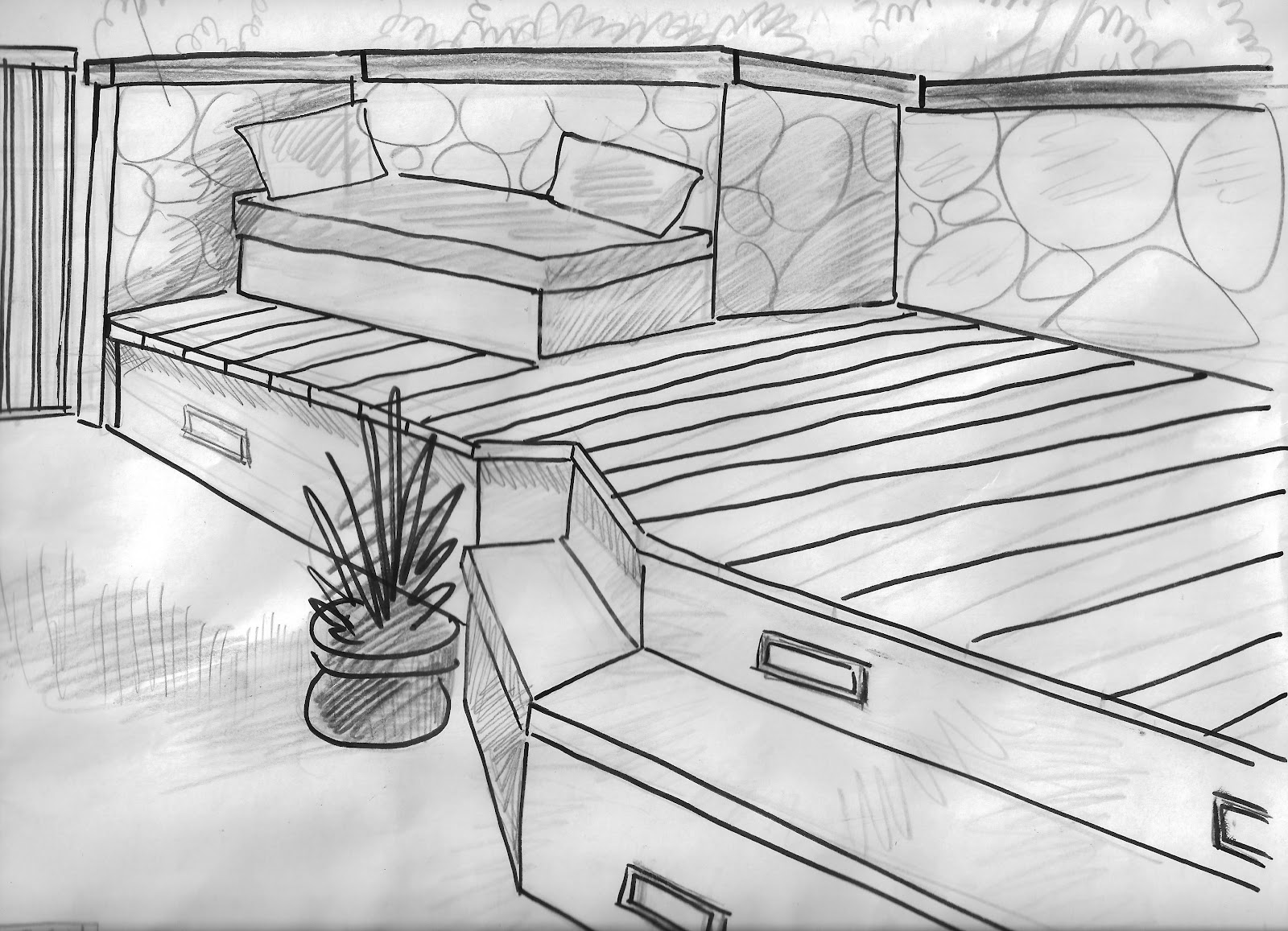
Home Improvement Sketch
Sunday, March 18, 2012
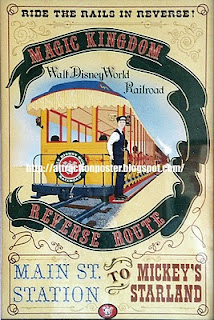
82 Disneyland Attraction Posters

1

2

3

4

5

6

7

8

9

10

11

12


14

15

16

17

18

19

20

21

22

23

24

25

26
27

28

29

30

31

32

33

34

35

36
.jpg)
37

38

39

40

41

42

43

44

45

46

47

48

49

50

51

52

53

54

55

56

(unofficial)

58

59

60

61

62

63

64

65

66

67

68
69

70

(unofficial)

71

72
73

74

75
76

77

78

79
80

81

82

(unofficial but pretty frickin' good!)

(unofficial)

(unofficial)
Please let me know if you see any doubles or if you can name some missing posters. This is not a business site just someone who was curious about the number of posters made of the parks' attractions.
Subscribe to:
Posts (Atom)